StudioFly Business app for studio owners and staff
In your pocket.
Classes, bookings, members, payments and leads in one app for owners and staff, so the studio keeps moving when you’re away from the front desk.


Free · iPhone, iPad and Android
A member of a studio? Get StudioFly Member
From the team behind MyGymDesk
What is the StudioFly Business app?
StudioFly Business is the StudioFly app for studio owners and their teams, free on the App Store and Google Play. It puts the running of a Pilates, yoga, dance, martial arts or fitness studio on a phone. The home screen shows who is in now and today’s check-ins, classes and payments. The class schedule shows bookings against capacity, and each class has its roster and waitlist. Member profiles keep memberships, renewals and attendance history together, so you can see who is active and whose plan is about to expire. Leads and follow-ups sit in a sales pipeline. You create invoices, record payments and track what’s still due, and reports show revenue, attendance and membership trends next to your expenses. Each person on your team signs in with their own login and sees what their role allows. What you can use depends on your plan, the integrations you’ve turned on and your permissions.
The whole studio, wherever you are.
The same StudioFly account as the browser workspace, built for a phone in one hand.
Today at a glance
Who is in now, today’s check-ins, classes and payments, and the period’s revenue, member growth and dues on the home screen.
Classes and scheduling
Your class schedule with bookings against capacity, each class’s roster and waitlist, and personal training alongside your regular classes.
Members and memberships
Profiles with memberships, renewals and attendance history, so you see who is active, whose plan is expiring and who needs a follow-up.
Leads and follow-ups
Capture inquiries, track follow-ups and trial bookings in your sales pipeline, and stay in touch through StudioFly’s WhatsApp tools.
Billing and collections
Create invoices, record payments and track what’s still due, with the period’s collections by payment method.
Owners, staff and trainers
Everyone signs in with their own login. Staff handle the front-desk tasks you allow, see their assigned clients and log sessions.
Reports and expenses
Revenue, attendance and membership trends, with your expenses and profit and loss, so you know how the studio is doing.
Workout and diet plans
Create workout and diet plans and assign them to members, connected to the rest of their record.
Multiple locations
Location-based views and staff access for studios with more than one location, where your plan includes them.
See the app before you download.
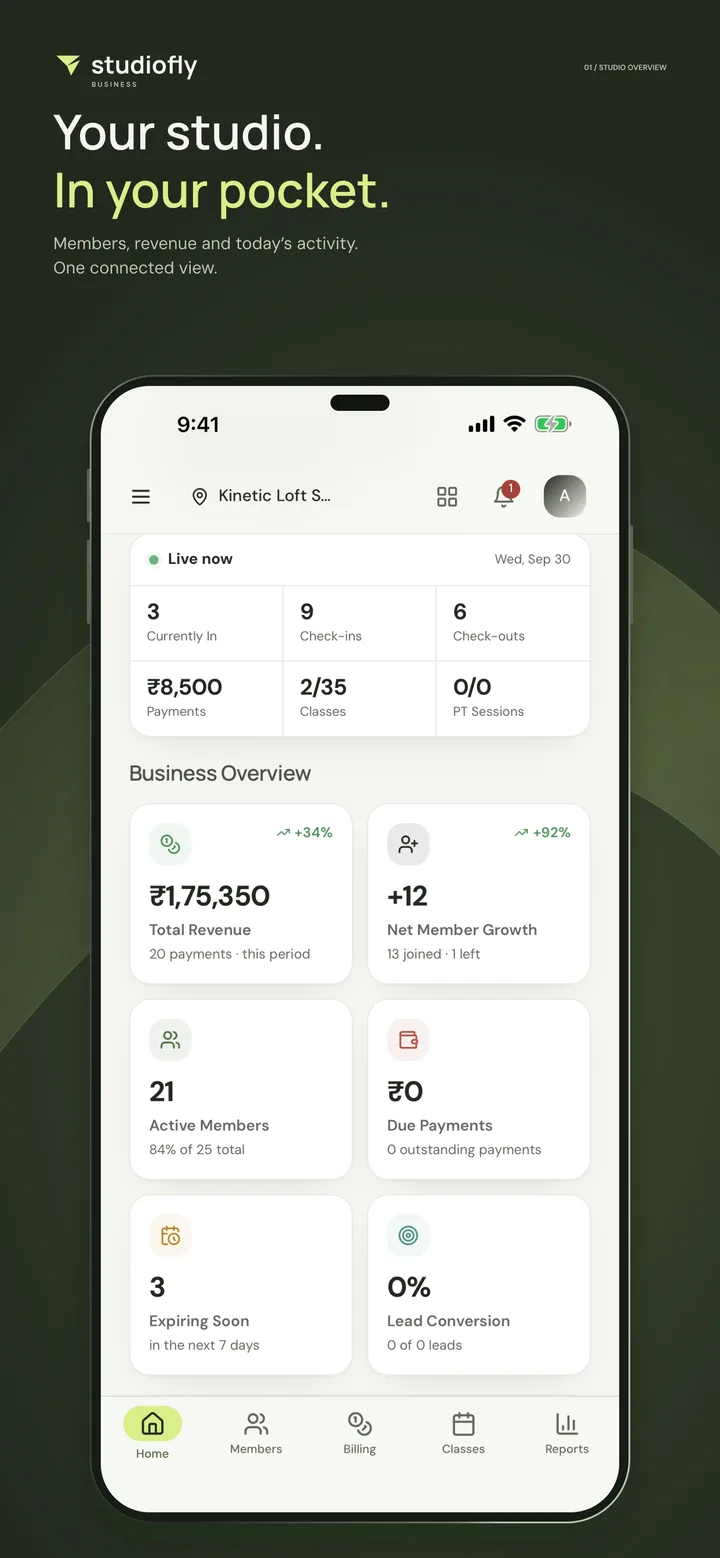
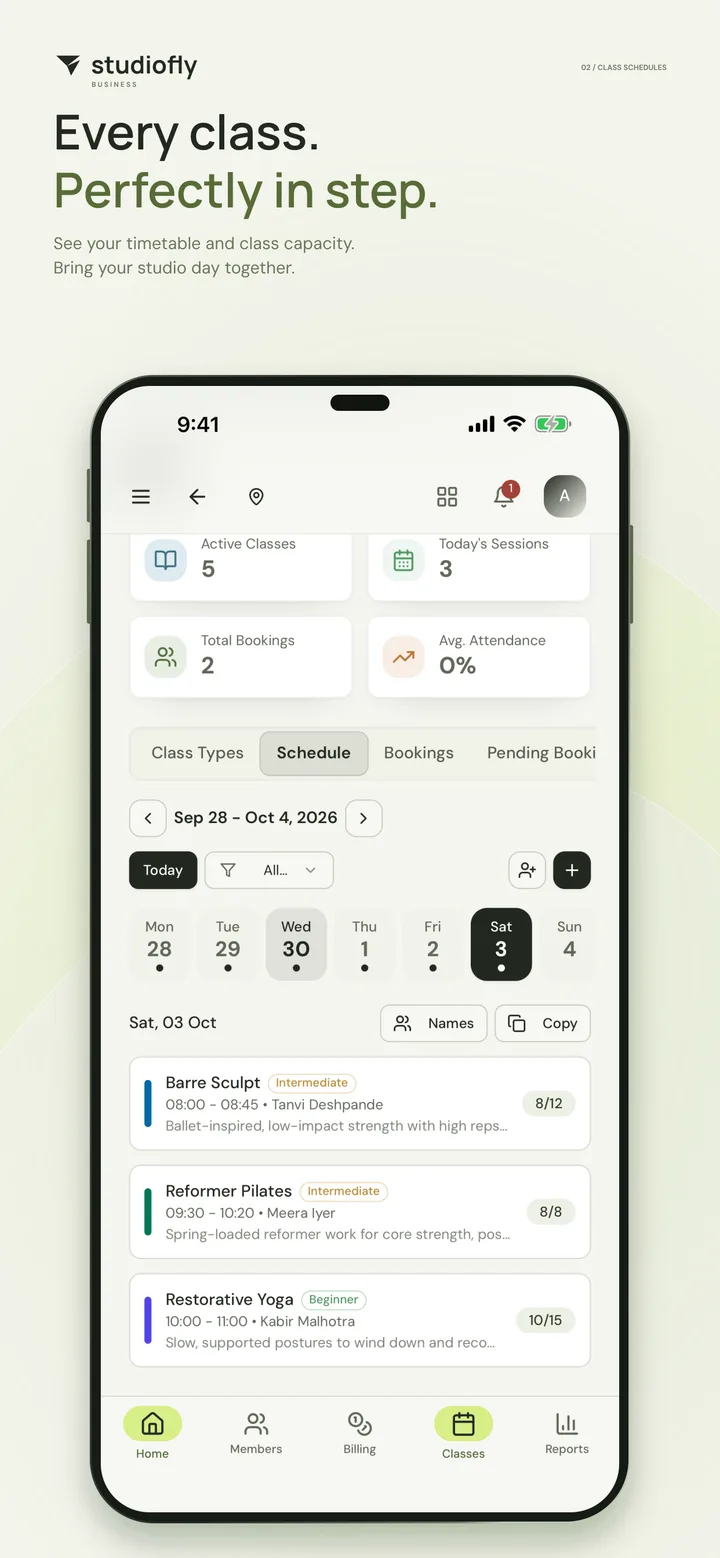
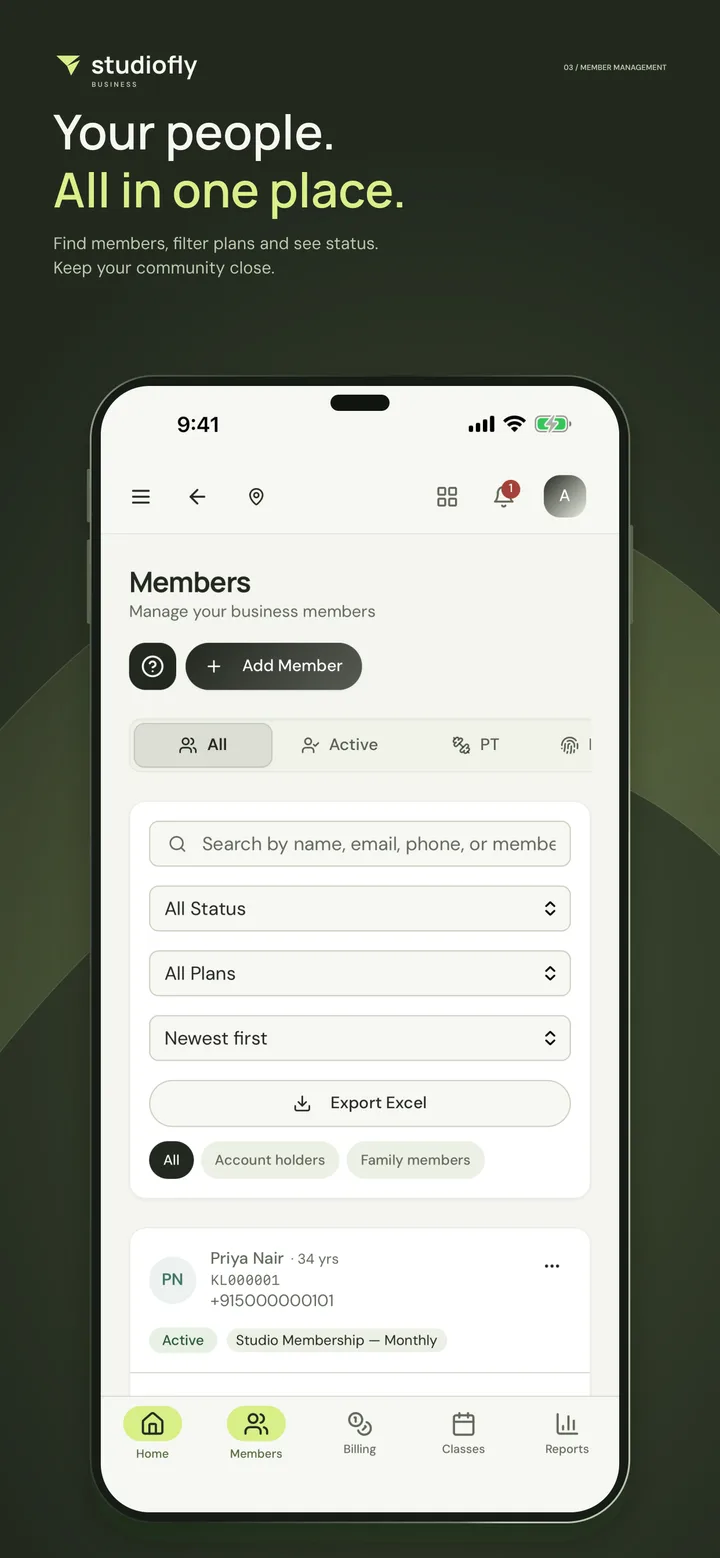
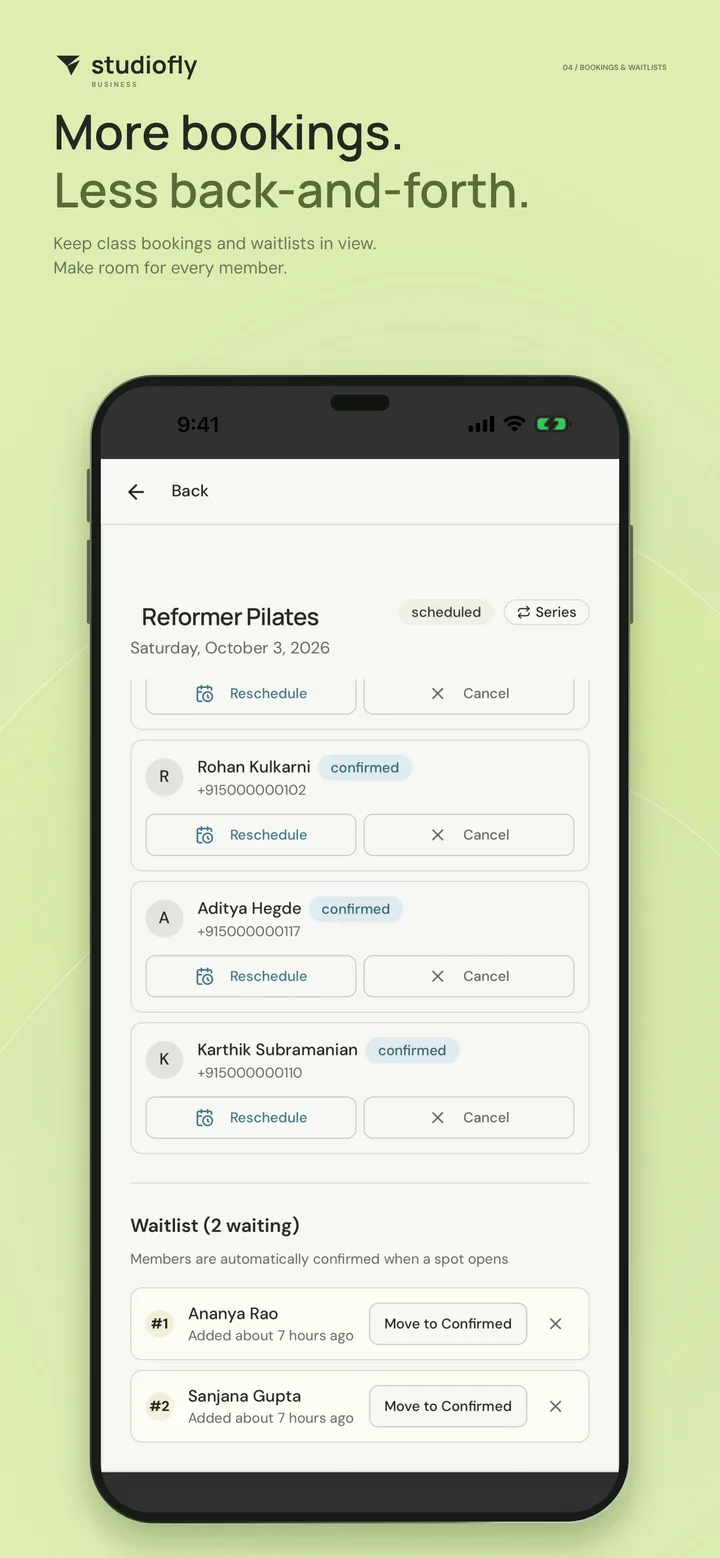
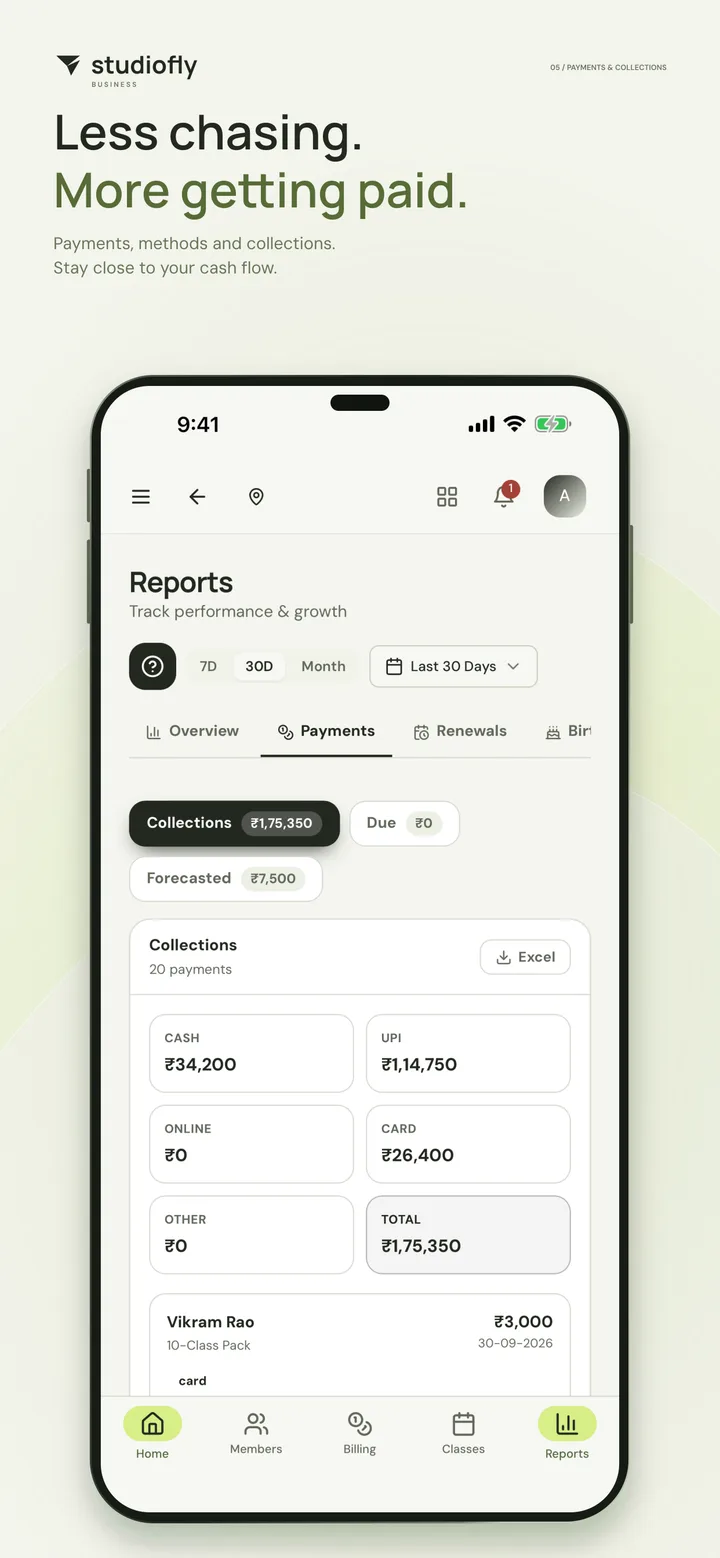
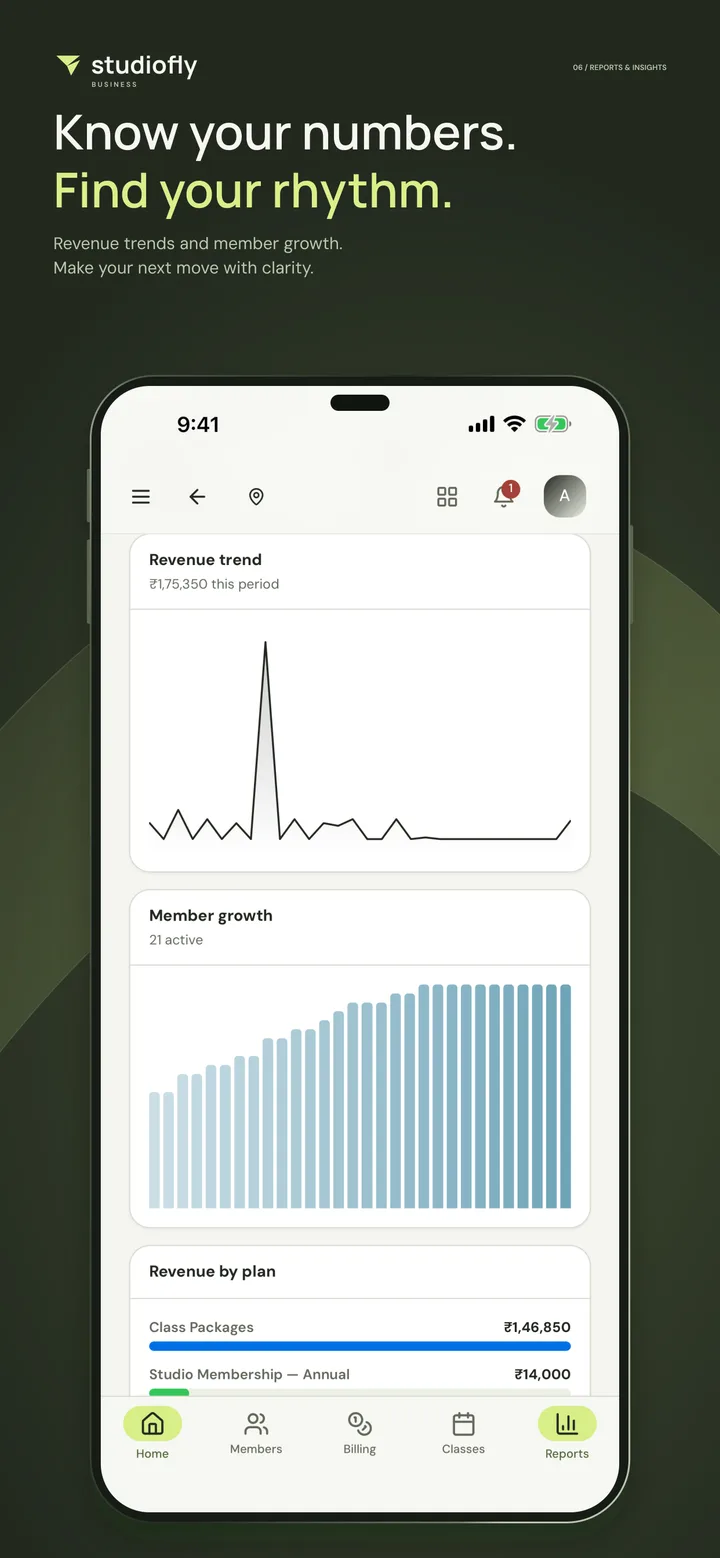
Screens from the App Store listing: a StudioFly demo studio with sample names and figures.
Up and running in three steps.
- 01
Download the app
Get StudioFly Business free from the App Store or Google Play.
- 02
Sign in
Use your StudioFly login. Each person on your team signs in with their own and sees what their role allows.
- 03
Run your day
Check today’s classes, bookings and payments, and look after members and leads from wherever you are.
Get StudioFly Business
on your phone.
Free on the App Store and Google Play. Scan the code with your phone’s camera and it opens the right store.
StudioFly Business app FAQs
Want to see the app with your own studio’s setup?
Book a demoIs the StudioFly Business app free?
Yes. It’s free to download on the App Store and Google Play, and it signs in to your studio’s StudioFly account. What you can use depends on your plan, the integrations you’ve turned on and your permissions.
Do I need a StudioFly account to use it?
Yes. The app is for studios that run on StudioFly, so you sign in with your StudioFly login. If your studio isn’t on StudioFly yet, start with a demo or a free trial.
Can my staff use the app?
Yes. Each person signs in with their own login and sees what their role allows. Staff can handle the front-desk tasks you permit, see their assigned clients and log sessions without access to every part of your business.
Does it replace the browser workspace?
No, the two work together. The app and the workspace at app.studiofly.fit sign in to the same StudioFly account, so you can use whichever suits the moment.
Can I manage more than one location?
Yes, where your plan includes multiple locations. The app gives you location-based views, and staff see the locations they have access to.
Which phones does it run on?
iPhone and iPad with iOS 15 or later, from the App Store, and Android, from Google Play.
I’m a member. Which app do I need?
StudioFly Member. StudioFly Business is for studio owners and staff, and members book classes and see their membership in StudioFly Member.
New to StudioFly?
Take a closer look.
See classes, members, payments and both apps with your own studio in mind, then set up your timetable and invite your team.
Start free trialPrefer a walkthrough? Book a demo with the team.