Family and parent accounts for studios and kids' classes
The whole family.
Parents book classes, renew memberships and pay for their children, or anyone in the family, from a single account. No extra phone numbers, no shared logins.
From the team behind MyGymDesk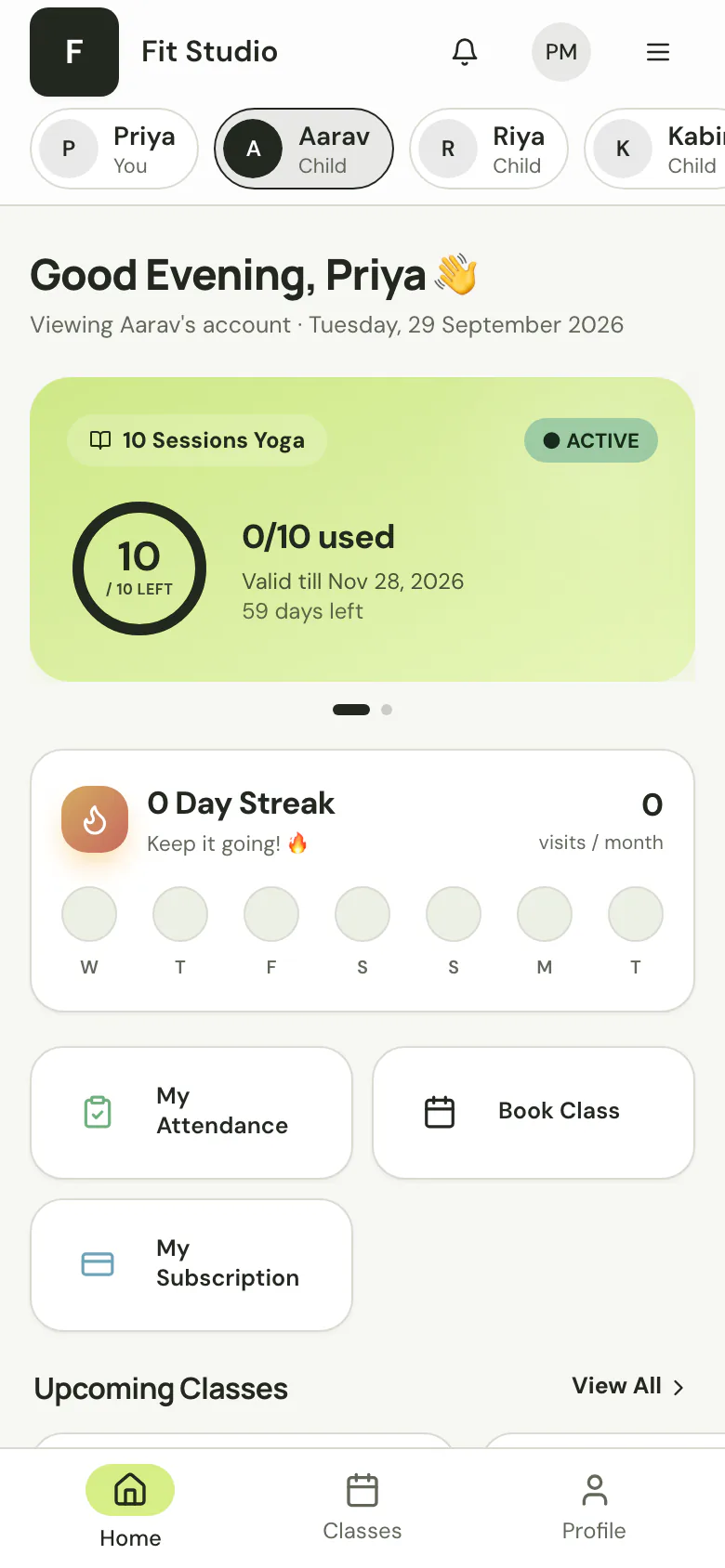
 OFFICIALMeta Business Partner
 CERTIFIEDRazorpay Tech Partner
What are family accounts in StudioFly?
Family accounts let one parent look after the whole family from a single StudioFly login. Add family members to a parent’s profile, or move existing members under them with their history kept, and the parent confirms in the app. Parents then switch between family members to see each person’s membership, classes, attendance and QR card. They can book several people into one class together, enroll a child in a run of class dates in one step, and pay for memberships and class packs in the app. The invoice names the parent as the buyer and the child on the line, and booking confirmations, reminders and receipts go to the parent on WhatsApp. A family member can be added with just a name, so children don’t need their own phone number or email. It works for adults too: spouses, parents and siblings. Children are kept out of marketing campaigns automatically. Family accounts are available on Growth, Pro and Enterprise.
Every child needs their own phone number.
Parents borrow relatives’ numbers and share logins, and your front desk sorts out who paid for whom.
Three steps. One login for the family.
- 01
Add the family
Add family members to a parent’s profile, or move existing members under them. Their history stays.
- 02
The parent confirms
The parent confirms in the app.
- 03
One place for everyone
They switch between family members and manage everyone from one place.
The whole family, one tap apart.
What a parent can do for everyone in the family, from their own account.
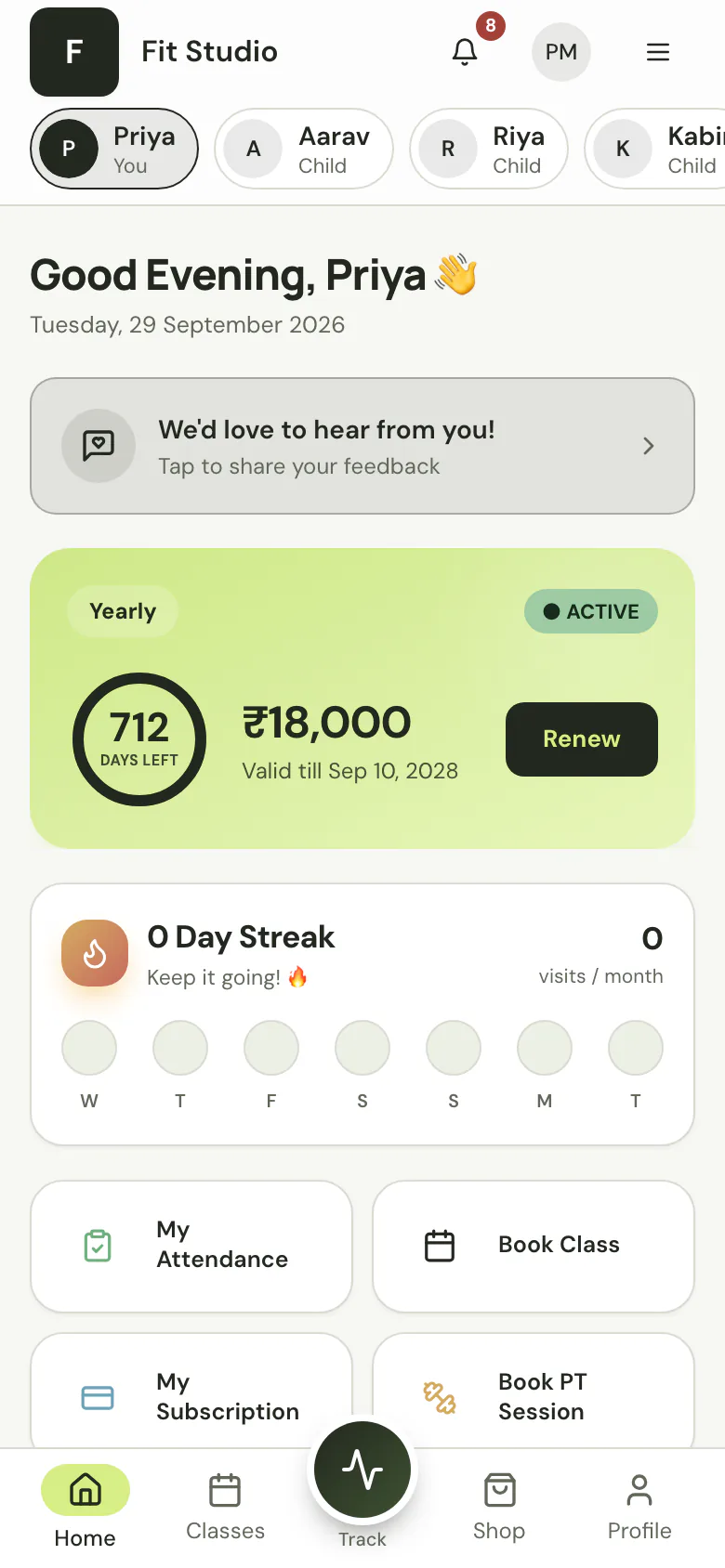
Switch between family members
Each person’s membership, classes, attendance and QR card, one tap apart.
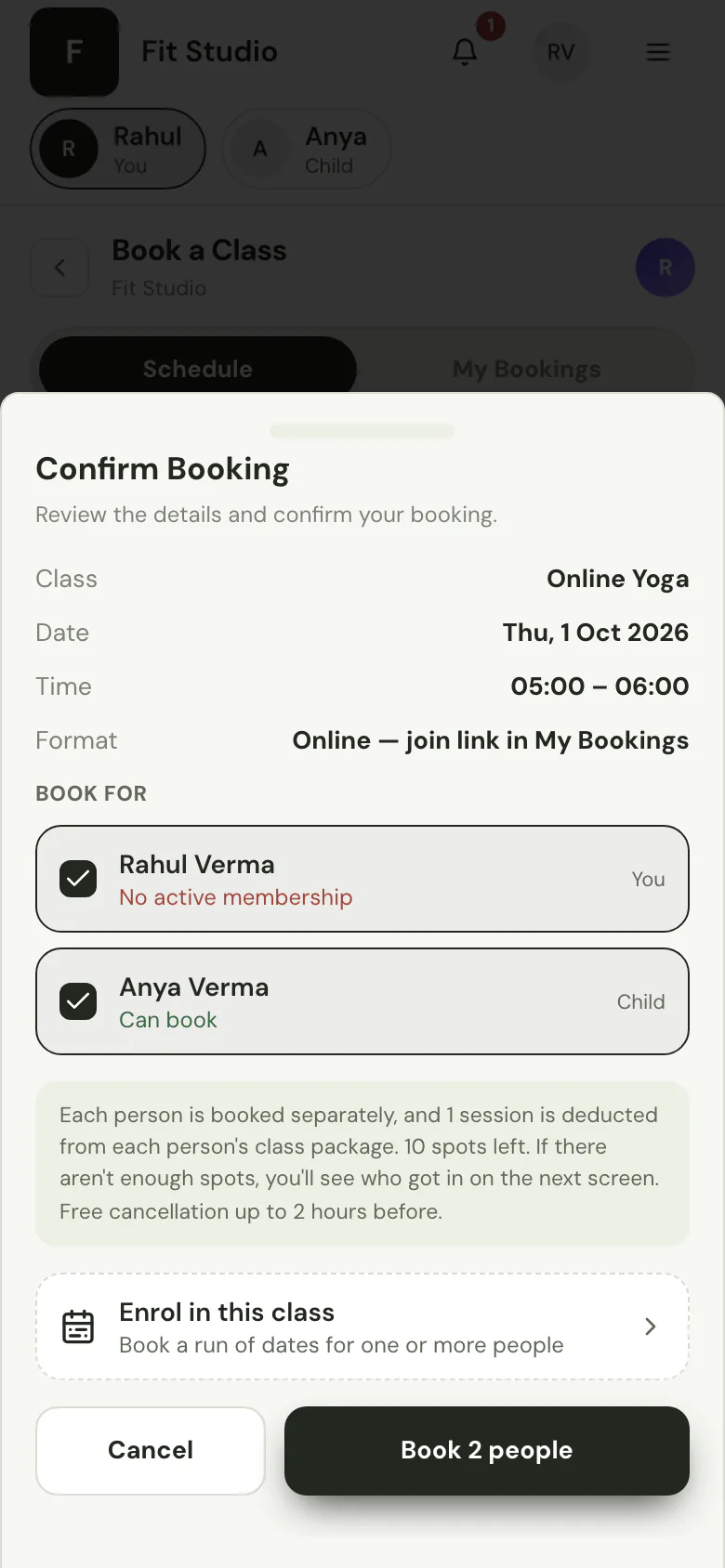
Book everyone at once
One class, several people: tick everyone who’s coming and book them together, with a clear result for each person.
Enroll for the term
Book a child into a run of class dates in one step.
Pay for the family
Memberships and class packs in the app. The invoice names the parent as the buyer and the child on the line.
Messages go to the parent
Booking confirmations, reminders and receipts on WhatsApp, naming the right person.
Every family, clear at the front desk.
Your team sees who belongs together, and who pays, on the member profiles they already use.
- A family card on every member profile.
- Search by a parent’s phone number to find the whole family.
- Billing at the front desk invoices the parent automatically, with the child named on the bill.
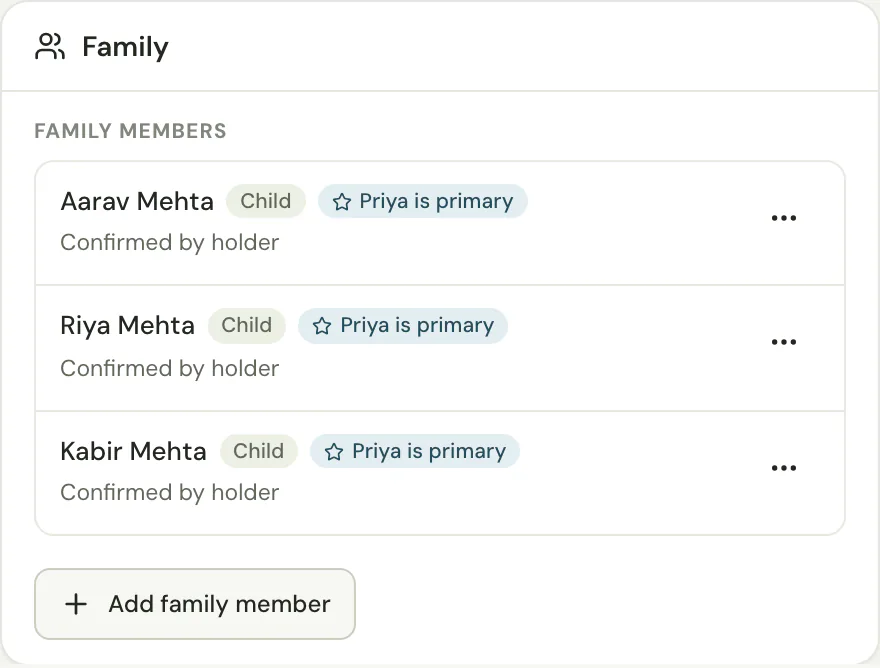
Not just kids.
Spouses, parents, siblings. Anyone who’d rather not give their own number.
Consent on record. Privacy for each person.
How family accounts handle confirmation, marketing, check-in and personal records.
Confirmed and recorded
Parents confirm in the app, and your team’s confirmation is recorded.
Out of marketing
Children are kept out of marketing campaigns automatically.
Check-in with consent
Fingerprint or face check-in for children only with the parent’s consent.
Private to each person
Workout logs, diet plans and progress stay private to each person.
Your questions, answered.
Want to talk through your own setup?
Let’s have a conversationDo family members need their own phone number or email?
No. A family member can be added with just a name. Messages and receipts go to the parent.
Can a parent pay for their child?
Yes. The parent pays, the invoice names the parent as the buyer, and the child is named on the line.
Can I group members I already have into families?
Yes. Move existing members under a parent. Their memberships, bookings and attendance history stay with them.
How many parents can a child have?
Up to two account holders per family member.
Does it work for adults?
Yes. Spouses, parents, siblings, or anyone who manages someone else’s account.
Which plans include family accounts?
Growth, Pro and Enterprise.
What happens to children’s data?
Children are kept out of marketing campaigns, and fingerprint or face check-in needs a parent’s consent. Workout logs, diet plans and progress stay private to each person.
Made for studios that
teach whole families.
See how family accounts fit your studio, your team and the families you teach.
Start free trialAvailable on Growth, Pro and Enterprise.