StudioFly Member app for studio members
Your space.
Book your next class, check your membership and follow the plans your trainer sets, in one app connected to the studio you love.


Free · iPhone, iPad and Android
Run a studio? Get StudioFly Business
From the team behind MyGymDesk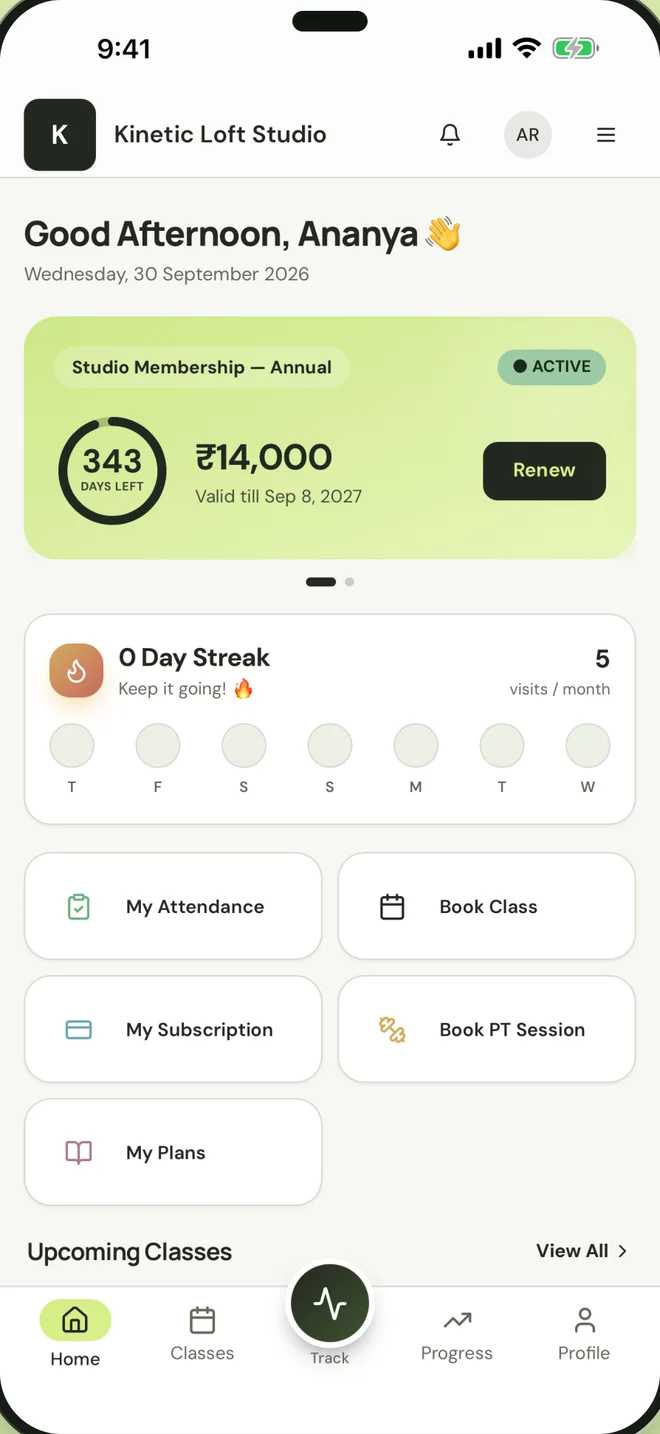
What is the StudioFly Member app?
StudioFly Member is the free app for members of studios that run on StudioFly, on the App Store and Google Play. Members see their studio’s schedule and book their own spot in a class. When a class is full they join the waitlist themselves, and the first person waiting moves in automatically when a place frees up. Upcoming bookings sit in one list, where members cancel or reschedule within the studio’s window. The app shows their membership, its expiry date and the classes or personal training sessions left, their payment history and anything due, and members renew or pay online where the studio has turned that on. Workout and diet plans from their trainer, attendance history and a member card with a QR code are there too, and a parent with a family account switches between family members. Members sign in with their studio account, and what they see depends on the studio’s setup.
Everything about your membership, in one place.
What you see depends on your studio’s setup and your membership. If something’s missing, your studio can help.
Book your next class
See your studio’s schedule, book your spot, and join the waitlist yourself when a class is full.
Your bookings
Upcoming classes in one list, to cancel or reschedule within your studio’s window.
Your membership
Your plan, its expiry date and the classes or personal training sessions you have left, without asking at the front desk.
Payments
Your payment history and anything due. Renew or pay online where your studio has turned this on.
Personal training
Your personal training package and upcoming sessions, and open sessions to book where your studio offers them.
Workout and diet plans
The workout routines and diet plans your trainer assigns, ready whenever you need them.
Your member card
Your digital member ID card with its QR code, plus your attendance history and visit streak.
Your family
With a family account, a parent signs in once, switches between family members and books several people into one class together.
Studio updates
Notifications from your studio, and its details whenever you need to get in touch.
See the app before you download.
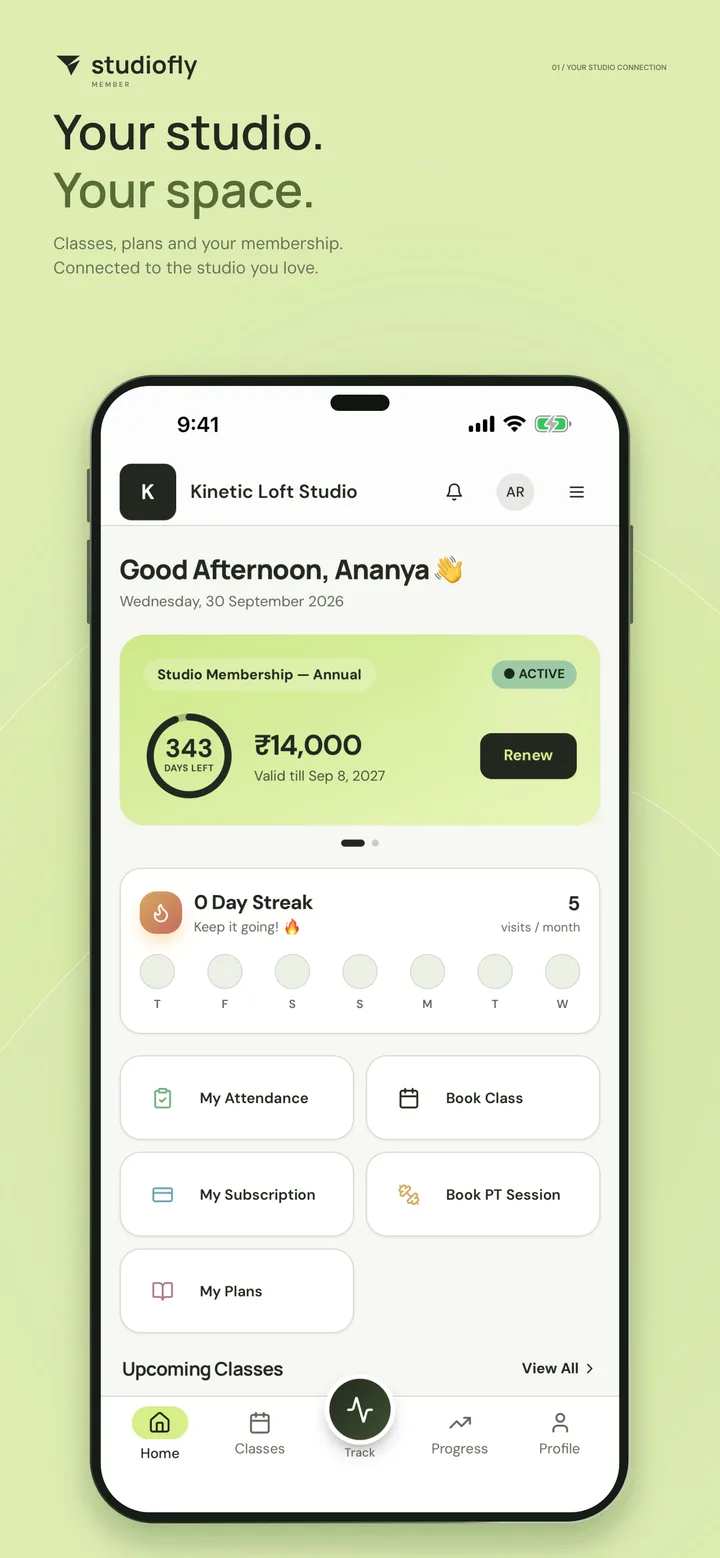
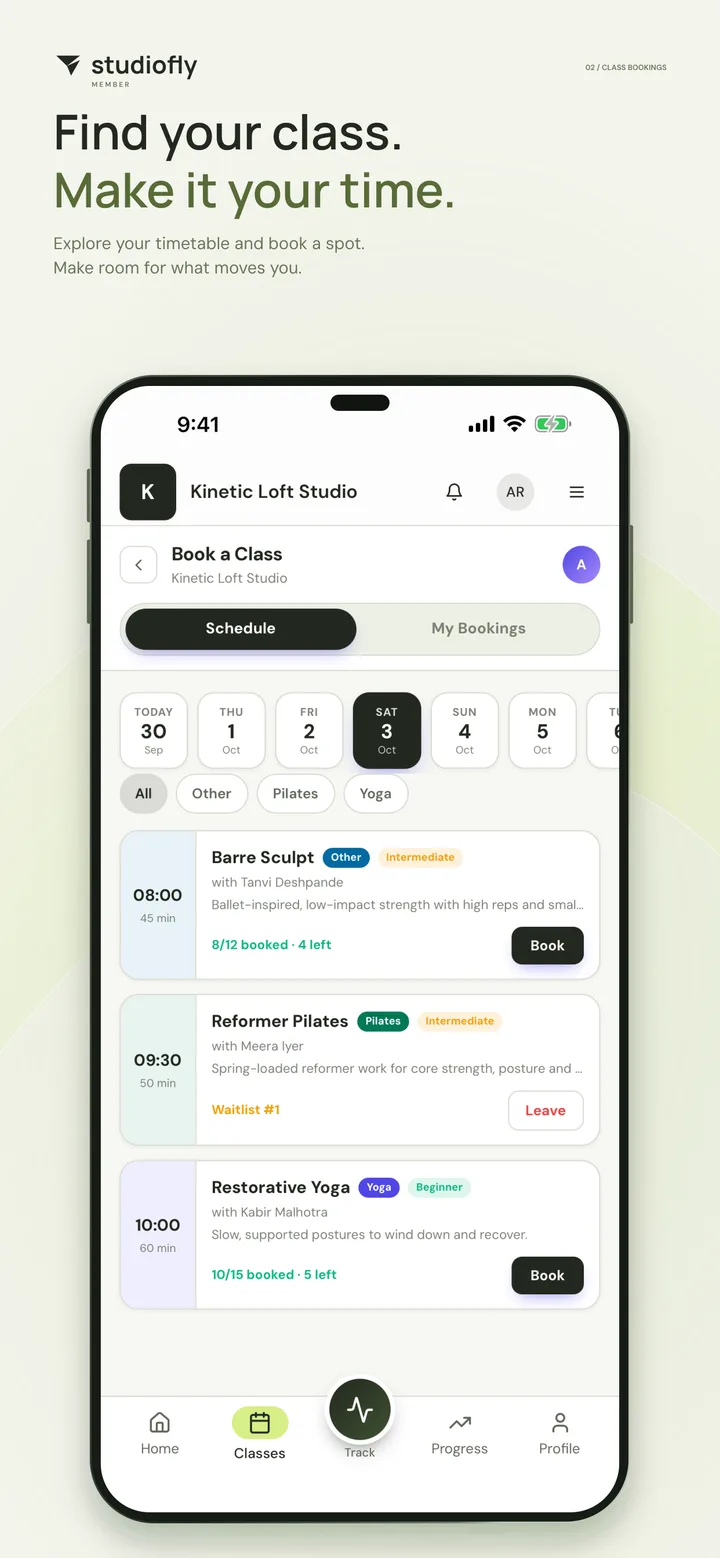
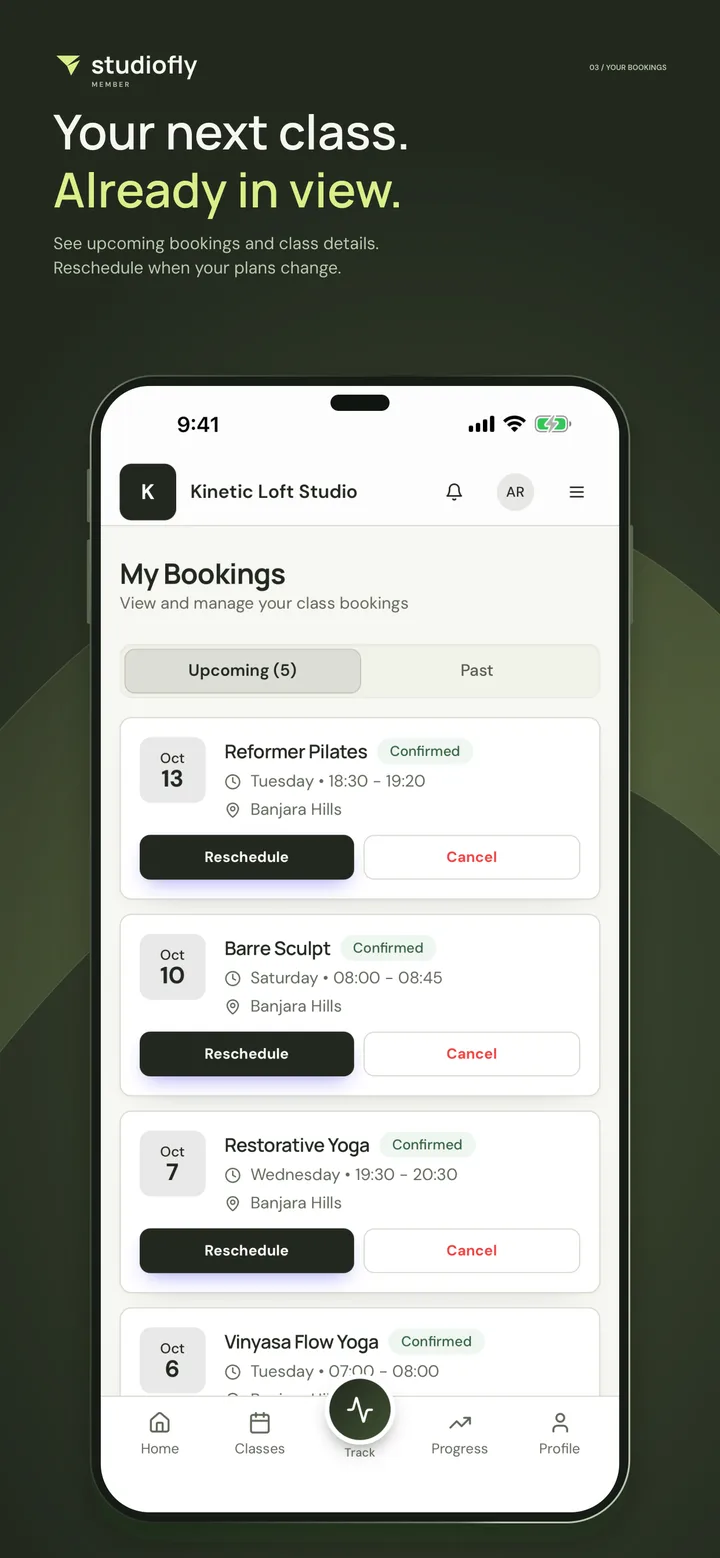
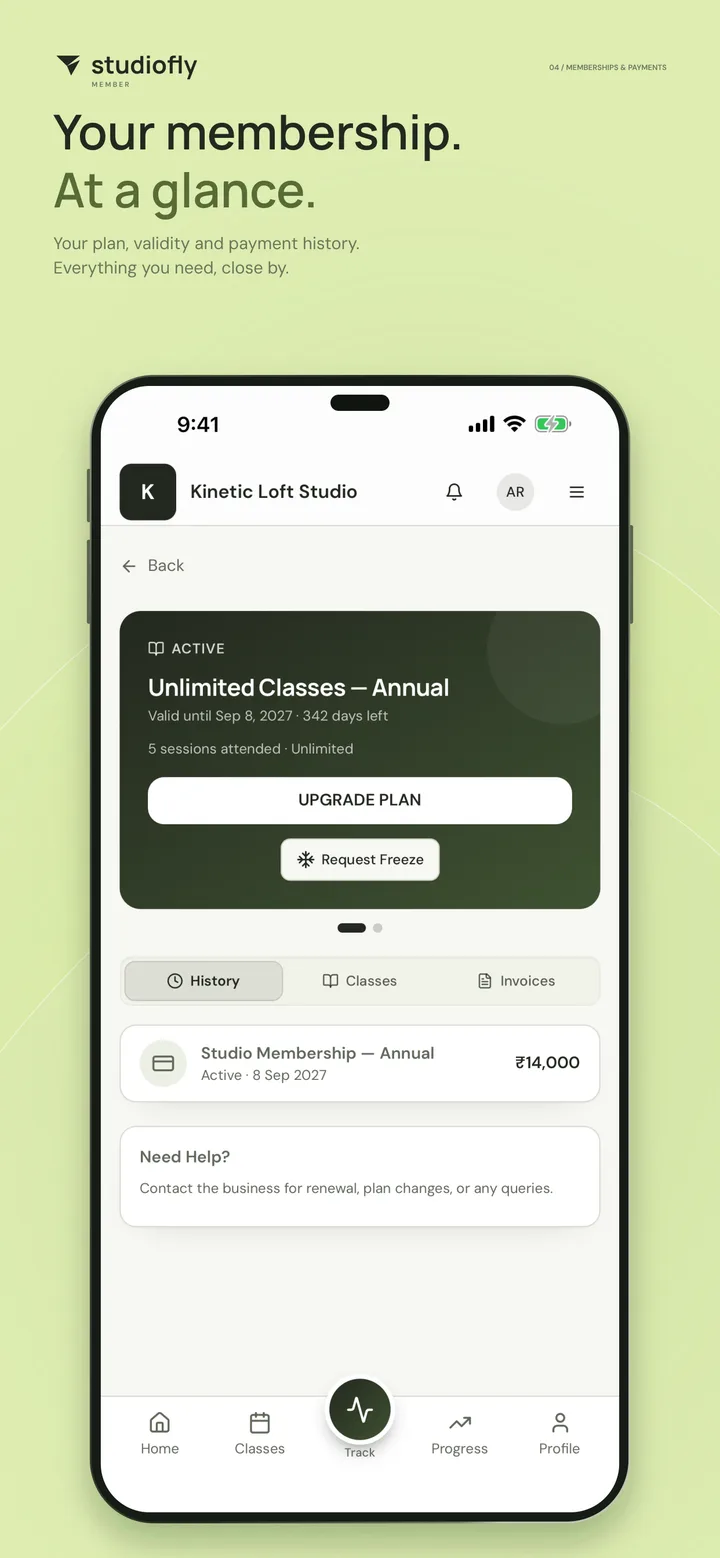
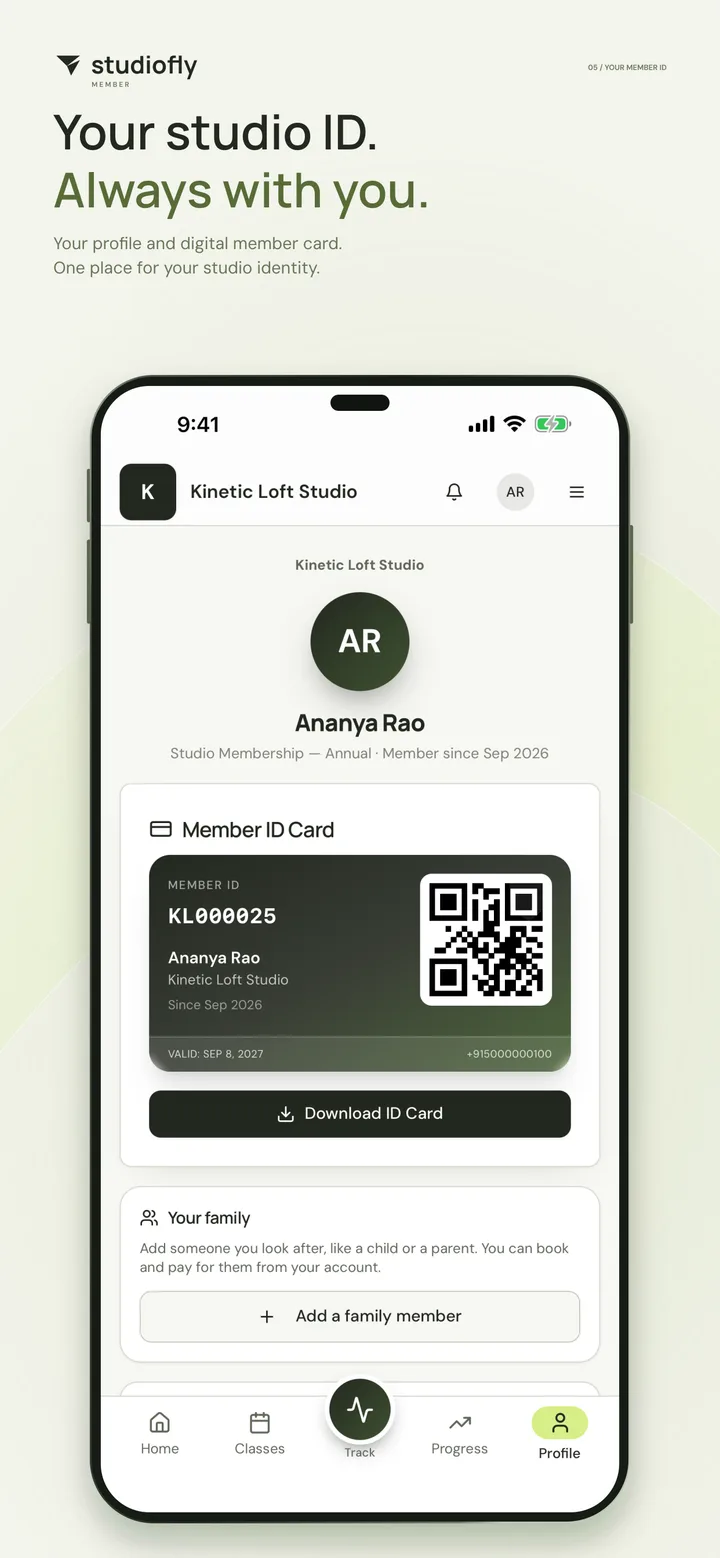
Screens from the App Store listing: a StudioFly demo studio with sample names and figures.
Up and running in three steps.
- 01
Download the app
Get StudioFly Member free from the App Store or Google Play.
- 02
Sign in with your studio account
Use the account your studio set up for you. If you can’t get in, your studio can check your details.
- 03
Book your next class
See the schedule, book your spot and keep your membership and plans close by.
Get StudioFly Member
on your phone.
Free on the App Store and Google Play. Scan the code with your phone’s camera and it opens the right store.
StudioFly Member app FAQs
Run a studio and want to see the member app with your setup?
Book a demoIs the StudioFly Member app free?
Yes. It’s free to download on the App Store and Google Play. You need a membership at a studio that runs on StudioFly.
How do I sign in?
Sign in with your studio account, the one your studio set up for you. If you can’t get in, contact your studio: they can check your details.
Why can’t I see online payments or personal training?
Your studio decides what the app offers. The classes, payments, plans and features you see depend on your studio’s setup and your membership, so ask your studio if something’s missing.
Can I book classes for my children?
Yes, if your studio has set up a family account for you. You sign in once, switch between family members to see each person’s membership, classes and QR card, and book several people into one class together.
Do I have to download the app?
No. Your studio’s member portal runs in any phone or desktop browser too, with the same membership, bookings and payments. The app keeps them a tap away.
Which phones does it run on?
iPhone and iPad with iOS 15 or later, from the App Store, and Android, from Google Play.
I run a studio. Which app do I need?
StudioFly Business, for owners and staff. Your members use StudioFly Member, which is free for them to download.
Run a studio?
Give your members this app.
Members book their own spot, join waitlists and see their membership, while your team sees every booking against the capacity you set.
Start free trialPrefer a walkthrough? Book a demo with the team.